Decimal Market: Add Priced Goods to Land an $8–$10 Total
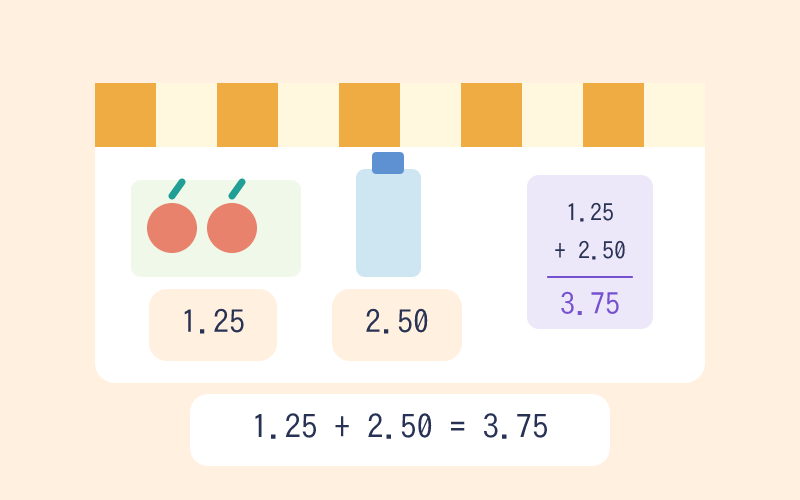
Click shelf items to drop them into your basket while the receipt keeps a running decimal total and shows your change. It trains you to add money amounts to the hundredth and estimate toward a target budget.
Hitting the $8–$10 Window Means Adding Cents, Not Just Dollars
Students fluent with whole dollars often stumble the moment prices carry cents, adding 8.9 and 1.15 as if the digits behind the point behaved like whole numbers. Every click drops a decimal-priced item into the basket, and the receipt re-totals to the hundredth, so a misjudged combo surfaces as $10.35 instead of a clean checkout. Because change sits right beside the total, you can test after each pick whether the total plus the change still equals $10. That feedback turns abstract place-value alignment into a visible, self-correcting shopping decision.
Decimal Market Bridges Grade 4 Fraction Sense and Grade 6 Rational Numbers
This game sits exactly where fraction notation becomes decimal notation, so fourth graders tie tenths and hundredths to money (4.NF.C.6) while working money word problems (4.MD.A.2). Fifth graders add and subtract decimals to the hundredth with real stakes (5.NBT.B.7), and sixth graders extend the same reasoning toward multi-step rational-number arithmetic. The running total and change model prepares students for later work with percentages and unit pricing.
Learning Points
- visual modeling
- step checking
- units and quantity
- applied reasoning
Steps and completion rules
- Read the decimal prices and estimate a combination close to $10.
- Click products to add them and check the running total and change.
- Check out with a total from $8 through $10. Adjust your selection when it falls outside that interval.
Teacher / Parent Note
Align decimal points when checking the receipt, and verify that the total plus change equals $10.