Math Racer: Answer Questions and Race the Computer
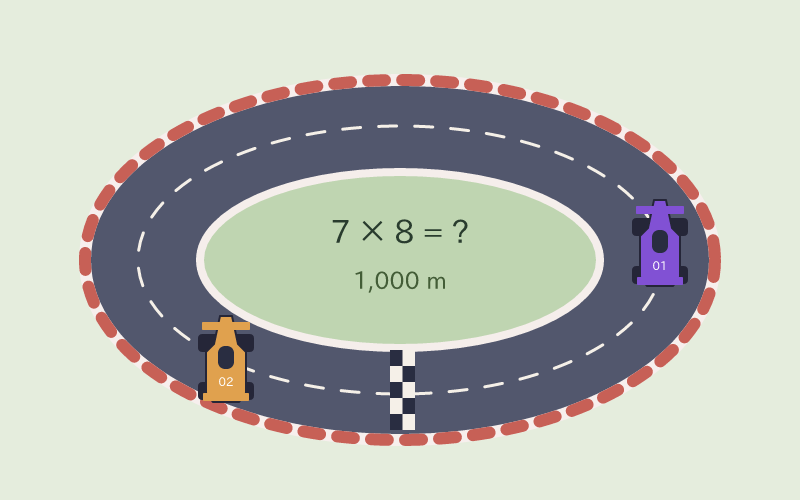
The Math Racer game turns one-step arithmetic into a race against the computer. Choose one of three question levels, then answer four-choice questions to move your car.
| Name | Math Racer |
|---|---|
| Catalog grade suggestions | Grade 1, Grade 2, Grade 3, Grade 4, Grade 5, Grade 6 |
| Actual task | Race the computer to 1,000 meters with addition, subtraction, multiplication, division, or mixed facts |
| Practice objective | Practice the following task: Race the computer to 1,000 meters with addition, subtraction, multiplication, division, or mixed facts |
Grades are catalog suggestions. Curriculum entries are references, not certification. Choose a practice length that fits your session.
What questions appear in Math Racer?
Each question shows one arithmetic expression with four answer choices. Choose addition, subtraction, multiplication or division. Mixed operations rotates through those four kinds of single-step questions.
Example (Easy multiplication): 3 × 4 = ?. Choose 12 from the four options to move your car 100 meters.
| Easy | Addition and subtraction within 20; multiplication factors 1–5; division uses divisors and whole-number answers 1–5. |
|---|---|
| Medium | Addition and subtraction within 50; multiplication factors 1–10; division uses divisors and whole-number answers 1–10. |
| Hard | Addition and subtraction within 100; multiplication factors 1–12; division uses divisors and whole-number answers 1–12. |
A Race Powered by Arithmetic
You control one car by answering arithmetic questions. The computer drives the other car automatically. Each correct answer advances your car 100 meters; a wrong answer gives feedback and opens the next question after a short pause. Reach 1,000 meters first, or lead when the 90-second clock ends. Set the question difficulty and computer pace separately. Pause the race at any time; switching away from the page also pauses it.
Learning Points
- Recall arithmetic facts in a changing order.
- Balance accuracy with a comfortable answering pace.
- Review missed facts after the race.
How to play Math Racer
- Choose an operation and an Easy, Medium or Hard question level. Set Computer pace to Relaxed, Standard or Quick, then select Start race.
- Solve the expression and tap one of four answers, or use keys 1–4. Each correct answer moves your car 100 meters. A wrong answer gives feedback and opens the next question without moving your car.
- Reach 1,000 meters before the computer, or lead when the 90-second clock ends. Pause when needed. Review the missed facts after the race, then select Race again or Change settings.
Teacher / Parent Note
Begin with Easy and a Relaxed computer pace. Addition and subtraction stay within the selected level’s number range, and subtraction answers are nonnegative. In mixed mode, students alternate between single-step operations. Adjust Question level and Computer pace with their separate controls, changing one setting at a time.
FAQ
Q: Can one person play Math Racer?
A: Yes. You answer for one car and the computer controls the other. There is no online room or remote multiplayer.
Q: Is this the same as Addition Finish Line?
A: Addition Finish Line focuses on addition. Math Racer offers four operations or a mixed set with separate difficulty and computer pace controls.